Physical Address
304 North Cardinal St.
Dorchester Center, MA 02124
Physical Address
304 North Cardinal St.
Dorchester Center, MA 02124

The ice storm rolled in on a Wednesday afternoon and the power stayed out until Friday night — thirty-one hours in total. The house dropped to 48 degrees inside. The freezer started sweating through its gasket. And my wife’s CPAP had roughly four hours of runtime left on its internal battery, which is the kind of countdown that reorganizes your whole evening.
I own a gas generator. I also own neighbors, and running a 5,000-watt unit through the night to keep one medical device alive is the kind of decision that costs you goodwill for a year. So I sat down and listed what genuinely needed power overnight: the CPAP, the fridge, the furnace blower, two lamps, and the router. Nothing exotic. Nothing that justified a generator idling in the yard until sunrise.
That list is what pushed me toward a battery power station, and it’s the reason this Anker SOLIX C1000 Gen 2 review exists. I’ve been running one since late summer — through two real outages, a week of car camping, and a full tailgate season — and I have a fairly clear picture of where it earns its place and where it doesn’t.
If you’re still weighing brands before you commit, my Jackery Explorer 1000 v2 review covers the other obvious candidate in this size class. Otherwise keep reading, because this is an Anker SOLIX C1000 Gen 2 review pros cons breakdown rather than a recital of the spec sheet.
Disclosure: Some links in this article are affiliate links. We may earn a commission if you buy through them. This does not influence our findings or recommendations.
The short answer on Anker SOLIX C1000 Gen 2 Portable Power Station
| Tested for | Ten weeks of ownership: two grid outages (14 hours and 31 hours), five nights of car camping, a full tailgate season, and continuous UPS duty on a home office desk. |
| Best suited to | Someone who needs to carry a fridge, CPAP, router, and furnace blower through an overnight outage without starting a generator, and who wants the battery topped back up before the next one hits. |
| Not suited to | Anyone who needs 240V output, expansion batteries, or enough surge headroom to start a well pump or a circular saw. |
| Price at review | $669 |
| Would I buy it again | Yes — as long as I stopped pretending a 1,024Wh box was a whole-home solution. It’s an overnight machine, and it’s excellent at that specific job. |
Full reasoning below. Or check the current price here if you have already decided.
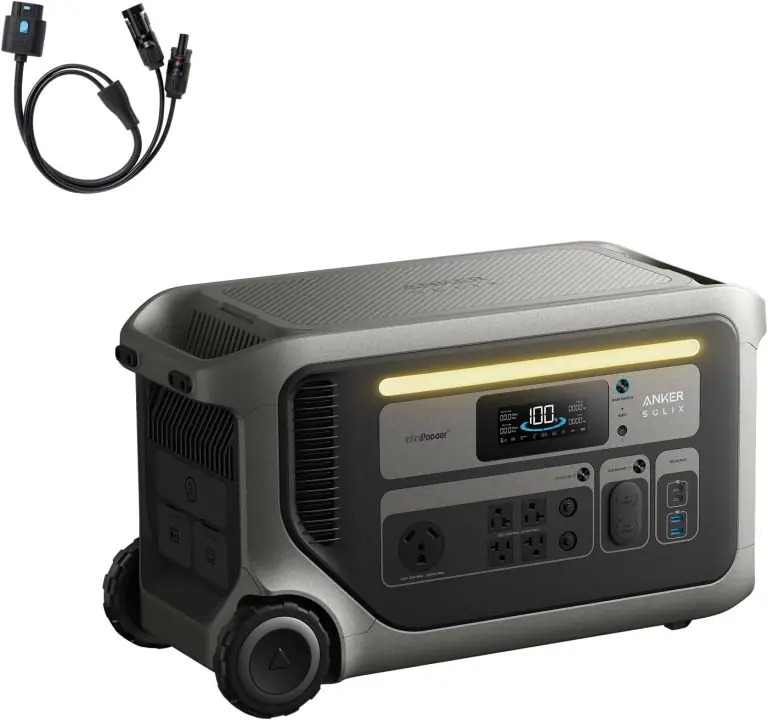
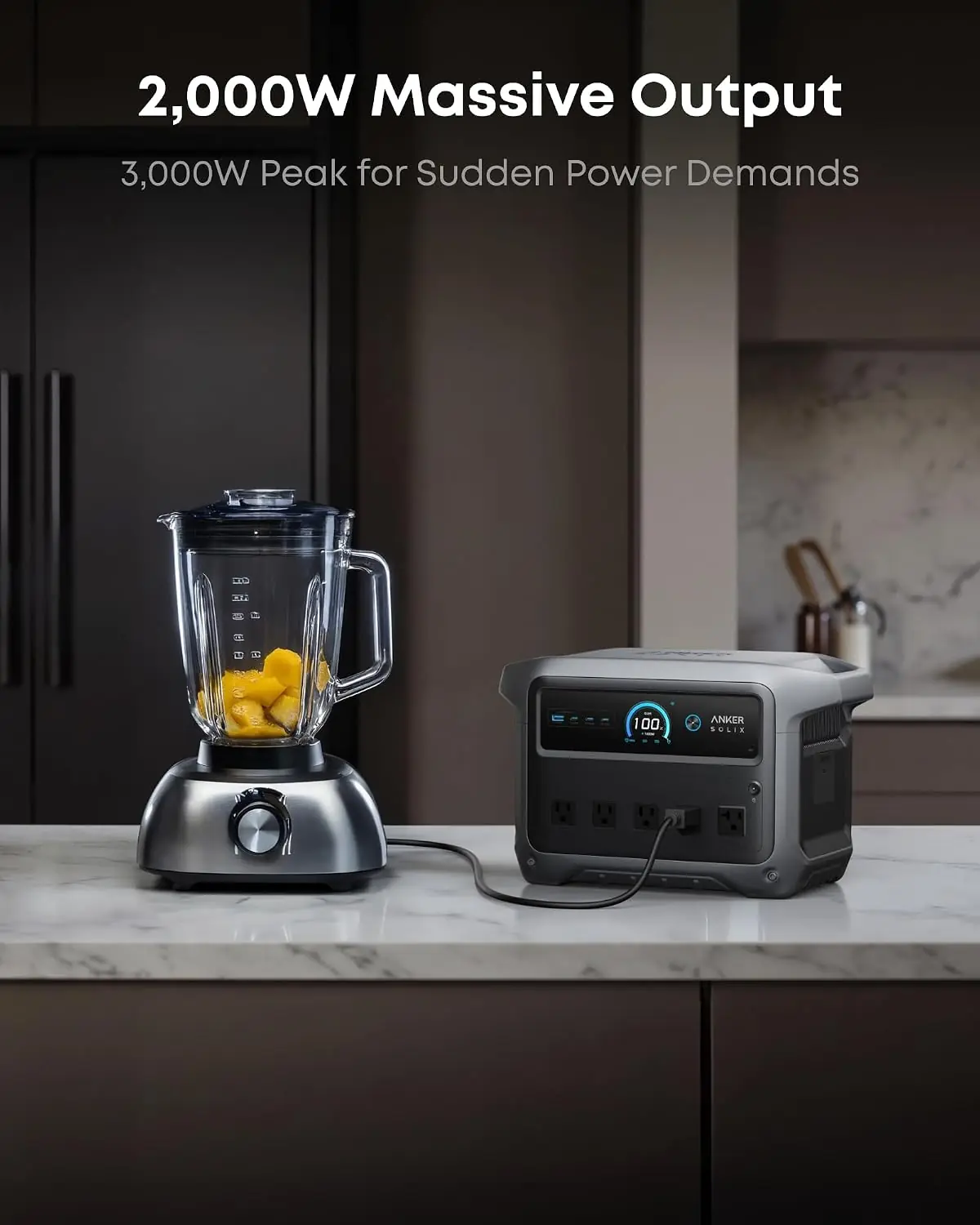
The first job of any honest Anker SOLIX C1000 Gen 2 review and rating is category clarity, because people buy the wrong device in this market constantly. This is a portable battery power station. It stores 1,024Wh of energy in a LiFePO4 battery, converts it to 120V alternating current through a pure sine wave inverter, and delivers up to 2,000W continuously with a 3,000W peak. You carry it with one hand by a molded handle. It weighs 24.9 pounds.
It is not a generator, despite the “solar generator” label that gets applied to this entire product class. Anker is a battery company first — you can read their own framing of the SOLIX product line here — and there’s no engine, no fuel, and no exhaust. It’s also not a UPS for your whole house, not a 240V solution for a well pump or electric dryer, and not expandable. That last point is deliberate: Anker removed the expansion port on this generation to cut weight and size, and they’ll tell you to buy the original C1000 if you want to stack batteries.
Where does it sit in the market? Upper mid-range. It costs more than a budget 1,000Wh box and less than a premium expandable system, and it justifies the premium with recharge speed and physical size rather than raw capacity.
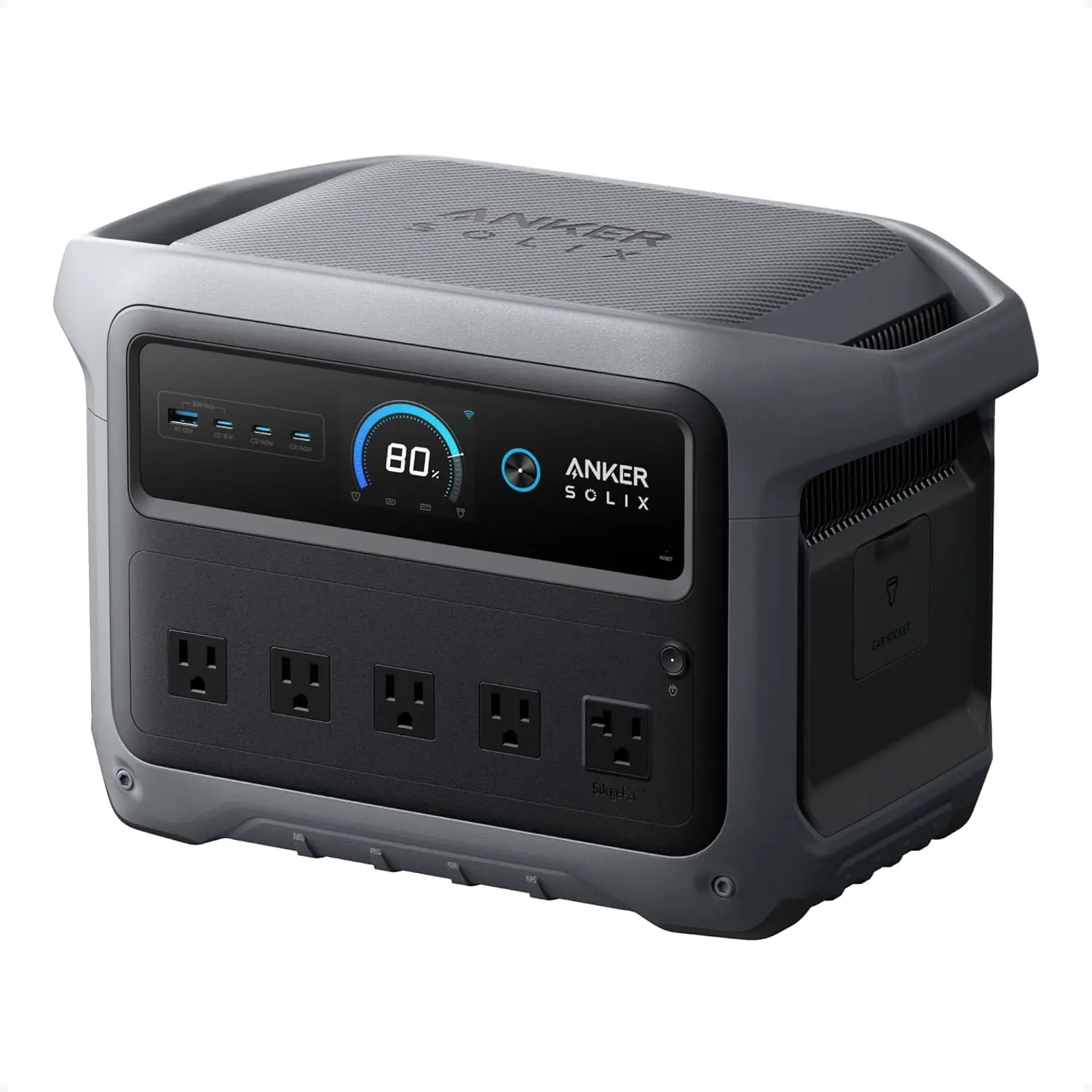
The box contains the power station, an AC charging cable, a quick start guide, and a safety and warranty card. That’s it. No solar panel, no car charging cable, no carrying bag. Two of those three omissions matter, and I’ll get to them.
Packaging is standard Anker — dense molded cardboard, the unit held firmly in place, nothing rattling. It communicates competence rather than luxury, which is the right call for a 25-pound object. There’s no foam-in-plastic theater here.
First physical impressions were mostly positive. The housing is a mix of metal frame elements and matte plastic casing that doesn’t show fingerprints, and the handle is integrated rather than bolted on, so there’s no flex when you lift it fully loaded. One thing I noticed immediately: the display is small and the brightness is fixed. In a dim garage it’s readable; in direct afternoon sun it washes out badly.
What you’ll need to buy separately: a car charging cable if you want to top up from a vehicle, and solar panels if you plan to use the 600W solar input. Anker sells both. Neither is included, and the omission of the car cable in particular is annoying at this price point, because cheaper units in the class throw one in. For a full Anker SOLIX C1000 Gen 2 review and rating on accessories, budget another $60 to $500 depending on how deep you go on solar.
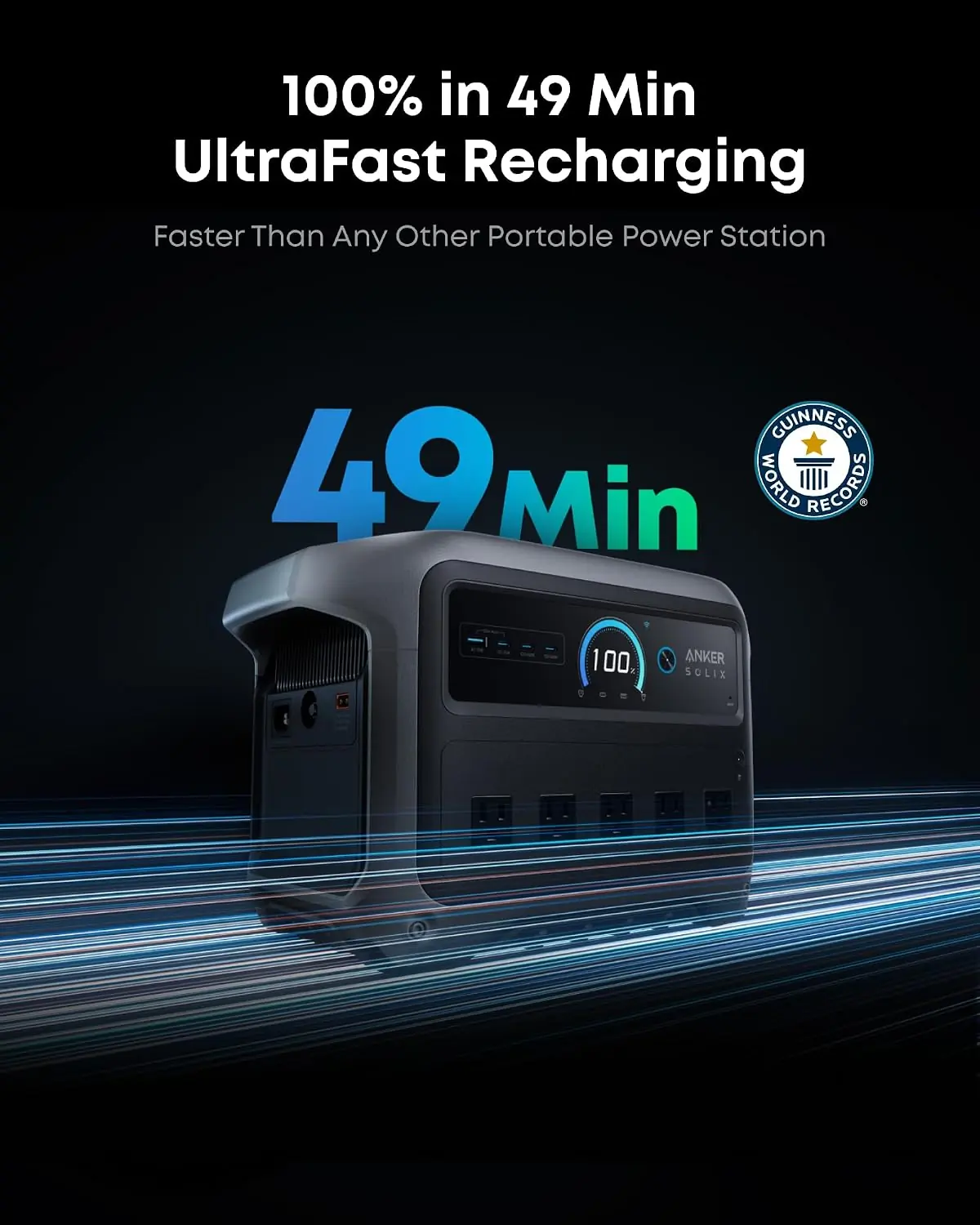
Out of the box to running a load took about eleven minutes, and eight of those were the app pairing. The physical side is trivial — plug the AC cable into the wall, plug it into the unit’s AC input port, press the power button. The printed guide is thin but adequate; it covers the ports and the app pairing steps without padding. What it does not explain well is UltraFast Charging, which is off by default and has to be enabled in the app under the Input section. I found it by accident while poking around the product homepage. Prior experience with battery stations helped me here, but it wouldn’t have made the physical setup any faster.
The curve is shallow for basic use and steeper than expected for the smart features. Running a lamp or a laptop is intuitive. Understanding why the recharge rate dropped on a cold morning took a support article. So did the difference between Standard Mode and Time-of-Use Mode. Realistically, a first-time buyer should set aside an evening to read through the app menus, enable what they need, and then largely ignore it. I’d estimate two hours of genuine learning for someone with no prior experience with this kind of product, and about twenty minutes for someone who has used one before.
My first real test was the obvious one: an outage simulation. I unplugged the fridge and ran it off the C1000 Gen 2 for a full eight hours, cycling normally. It consumed roughly 40 percent of the battery. Then I added the router, a lamp, and the CPAP for another eight-hour stretch overnight. That combination drained the unit to about 18 percent by morning, which is a comfortable margin but not a generous one. If you’re in this category and want to know whether this is Is Anker SOLIX C1000 Gen 2 worth buying territory for overnight fridge protection, the answer is yes — with about 15 to 20 percent headroom. For details on how those loads compare against a smaller unit, my second Jackery Explorer 1000 v2 write-up breaks down the runtime math.
Knowing which loads matter compressed my outage plan considerably. After the first month I stopped running the fridge continuously during outages and instead ran it in two-hour blocks with the door taped shut, which stretched runtime from roughly twenty hours to something closer to thirty. That’s a strategy change, not a product change, but the product’s display made it easy to see the payoff in real time. I also started using Time-of-Use Mode after my utility shifted to peak pricing, and the app’s scheduling removed a small amount of daily friction I hadn’t noticed I was carrying. My Anker SOLIX C1000 Gen 2 review notes from month one read very differently from month three.
The handle and housing have held up without creaking, cracking, or flex, even after being hauled in and out of a truck bed a dozen times. The AC outlets still grip plugs firmly — no looseness in the contacts. The LCD has no dead pixels. Recharge time hasn’t drifted meaningfully; I timed a recharge from 5 percent to full at 52 minutes in September and 54 minutes in November under similar conditions, which is within normal variation. Nothing about the physical product has degraded in a way I can point to.
Three things. First, UltraFast Charging only activates above roughly 20°C battery cell temperature. My garage sits around 55°F in winter, and the recharge speed dropped noticeably in the cold — not a defect, just physics the manual doesn’t lead with. Second, inductive and compressor loads are a real limitation. The 2,000W rating is continuous, but startup surge on a well pump or a circular saw can spike past the 3,000W peak, and Anker says so plainly in their own documentation. Third, the app’s firmware update process requires the unit to be above a certain charge level and takes longer than the screen suggests. I killed two updates in a row by unplugging too early. If you only take one thing from this Anker SOLIX C1000 Gen 2 review honest opinion, take that.
Nothing mechanical has degraded. The one persistent annoyance is the non-adjustable display brightness, which hasn’t changed but has become more irritating in direct sun. I also had two app disconnections where the unit dropped off Wi-Fi for several hours and reconnected on its own — no data loss, but it meant my Time-of-Use schedule didn’t fire once. That’s worth knowing if you’re relying on TOU automation rather than manual control.
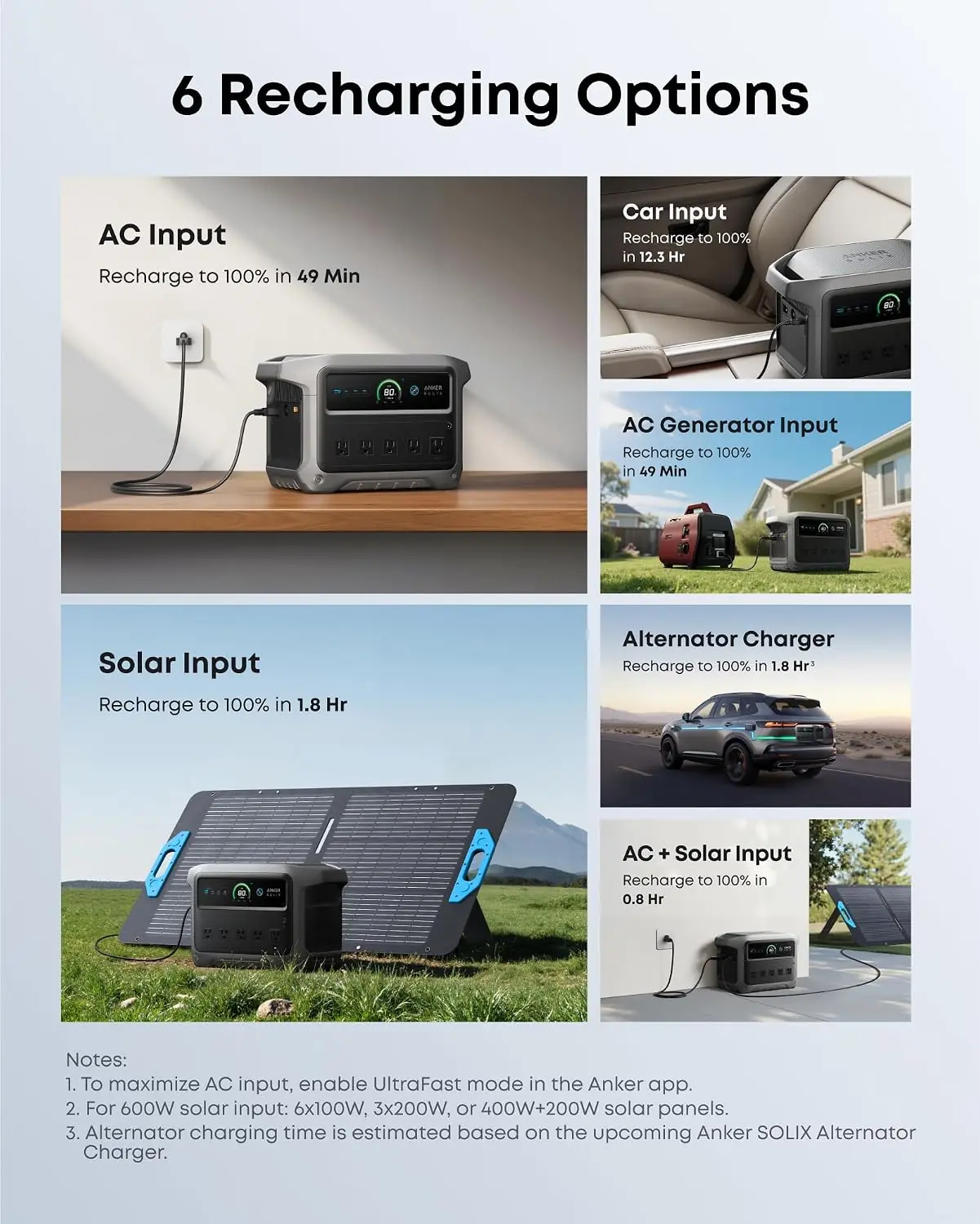
The 49-minute recharge. It’s real, but conditional. UltraFast Charging must be enabled manually in the app, only kicks in above roughly 20°C cell temperature, and Anker themselves recommend using it sparingly to preserve pack life. My best time from near-empty was 52 minutes in a warm room. In a 55°F garage it ran closer to 75.
The 1.8-hour solar recharge. That assumes 600W of panels at optimal angle in ideal sun. Real-world winter conditions at a mediocre angle pushed my full recharge past three and a half hours. The capability is genuine; the headline is best-case.
The port count. The spec sheet lists nine outlets while the marketing copy says ten ports. I counted nine physical outlets on my unit. It’s a small thing, but it’s the kind of discrepancy that makes you check everything else more carefully.
| Specification | Detail |
|---|---|
| Model | Anker SOLIX C1000 Gen 2 (A1763) |
| Capacity | 1,024Wh LiFePO4 |
| Output | 2,000W continuous / 3,000W peak, 120V AC |
| AC recharge | 1,600W HyperFlash, full charge in 49 min (UltraFast enabled) |
| Solar input | 600W max, 60V ceiling |
| UPS switchover | Under 10 ms |
| Cycle life | 4,000 cycles to 80 percent capacity |
| Dimensions | 15.1 × 8.2 × 9.6 in |
| Weight | 24.9 lb (11.3 kg) |
| Materials | Metal frame and housing elements, plastic outer casing, LiFePO4 cells |
| Warranty | 5 years |
Worth noting that this sits in the middle of Anker’s own range. If you want a bigger sibling with more headroom, my Anker SOLIX S2000 review covers where the extra money goes.
| What We Evaluated | Score | One-Line Note |
|---|---|---|
| Ease of setup | 4.5/5 | Eleven minutes start to finish; UltraFast is buried in the app menu. |
| Build quality | 4.5/5 | No housing flex, firm outlet contacts, and nothing loosened after ten weeks of hauling. |
| Day-to-day usability | 4/5 | Light enough to move one-handed; display washes out in direct sun. |
| Performance vs. claims | 4/5 | Output and UPS claims held up; solar and cold-weather recharge claims did not. |
| Value for money | 4.5/5 | Recharge speed and weight justify the premium over cheaper 1,000Wh boxes. |
| Load flexibility | 3/5 | No expansion, no 240V, and compressor startup surge is a genuine ceiling. |
| Overall | 4.2/5 | A focused machine that does one job extremely well and refuses to pretend it does more. |
The score is held up by recharge speed, honest weight savings, and a battery chemistry that won’t need replacing in five years. It’s held back by the missing expansion port, the lack of 240V, and by marketing numbers that assume ideal conditions. Nothing dragged it down badly — but the ceiling on load flexibility is real, and anyone who ignores it will be disappointed.
The middle section of any Anker SOLIX C1000 Gen 2 review verdict has to name names, so here are the three units people actually cross-shop. Prices below are approximate street prices at the time of writing, not list prices.
| Product | Price | Strongest At | Weakest At | Best For |
|---|---|---|---|---|
| Anker SOLIX C1000 Gen 2 | ~$669 | Recharge speed and physical size | No expansion, no 240V | Overnight essentials plus portability |
| Jackery Explorer 1000 v2 | ~$799 | Support network and simpler interface | Slower AC recharge, noticeably heavier | Buyers who value a familiar name and don’t need fast turnaround |
| EcoFlow DELTA 2 | ~$649 | Expandable capacity and 1,800W output | Heavier, busier app, slower full recharge | People who plan to add batteries later |
Two things decide it. First, recharge speed: getting from near-empty to full in under an hour changes how you use a power station. You stop rationing. You stop planning around it. The DELTA 2 and the Explorer 1000 v2 both take meaningfully longer on AC, and that difference compounds across a storm season. Second, weight and size. At 24.9 pounds with an integrated handle, this is a unit you will actually move from the garage to the kitchen to the truck. The DELTA 2 is heavier enough that I noticed it on stairs. If your priority is grabbing the thing and going, this wins.
If you want to grow your system, buy the DELTA 2. It accepts expansion batteries and the C1000 Gen 2 does not — Anker removed that capability on purpose, and they’ll point you to the original C1000 if you need it. If you want the longest track record and the least risk of a support headache, the Jackery is the conservative pick, and it’s the one I’d hand to a parent who doesn’t want to learn an app. And if you need to run a well pump or a table saw, none of these three is the right answer. You need a bigger inverter, and you should read my comparison notes in this related equipment review before assuming a 2,000W rating covers motor startup. If the C1000 Gen 2 is still the right fit, Anker SOLIX C1000 Gen 2 review honest opinion pricing is worth checking before you commit.
This is for the household that loses power a few times a year for anywhere from four hours to two days, and wants to keep a fridge, a router, a few lights, a phone charger, and one medical device alive without dragging a generator into the yard. That person probably lives somewhere with ice storms or wildfire shutoffs, has a budget in the $600 to $700 range, and is comfortable spending fifteen minutes in an app to set up scheduling. They will move this thing four or five times a year, store it plugged in as a UPS the rest of the time, and never think about battery chemistry once. My extended Anker SOLIX C1000 Gen 2 review and rating lands firmly on recommending it for exactly that profile.
The wrong buyer is the person planning for a multi-day regional outage who wants to run a furnace, a well pump, and a refrigerator simultaneously. A 1,024Wh battery will not do that, and no amount of recharge speed fixes a capacity ceiling. If that’s your scenario, buy the EcoFlow DELTA 2 with an expansion battery, or step up to a larger unit entirely. The other wrong buyer is anyone who wants to run power tools off it. Compressor and inductive loads will trip it, and you’ll be frustrated by week two. Neither of those is a knock on the product — it’s a knock on buying the wrong category, which is why I put this section ahead of the conclusion.
At $669, this sits at the upper end of the 1,000Wh class. The EcoFlow DELTA 2 undercuts it by roughly twenty dollars on a typical street price, and the Jackery Explorer 1000 v2 runs a hundred-plus more. On raw watt-hours per dollar, all three are roughly comparable; the C1000 Gen 2 is neither the bargain nor the premium pick.
What you’re paying for is time. Fifty minutes from empty to full instead of eighty or a hundred minutes is a real operational difference, and if you go through more than two outages a year it stops being a spec and starts being a convenience you rely on. Conversely, if the unit will mostly sit in a closet, you’re paying a premium for a feature you won’t cash in. Value here is entirely a function of usage frequency — buy it if you’ll use it, skip it if you won’t.
On sourcing: buy from Anker directly or from a major authorized retailer. Anker’s five-year warranty is transferable only with proof of purchase from an authorized seller, and there are third-party listings on marketplace sites that will leave you with no coverage. Keep the order confirmation.
What to watch: this model has seen promotional pricing during major sale events, and bundles that include the car charging cable show up periodically. Given that the cable isn’t in the box, a bundle is often the smarter buy. Don’t overpay for a bundle that includes panels you won’t use, though — a single 400W panel covers most camping needs.
Price and availability change. Check current figures before deciding.
Five years, which is at the top of what this category offers. Anker’s support process is email and chat first, and in my one interaction — a question about the cold-weather recharge behavior — I got a technically accurate answer within a day that correctly explained the cell temperature threshold. That’s better than most. What I can’t speak to is how a repair claim goes, because I haven’t needed one, and community reports on that process are mixed. Nothing about the warranty terms is unusual or quietly restrictive, which is the main thing worth confirming before purchase.
Yes, if you’ll use it more than once or twice a year. The premium over cheaper 1,000Wh boxes buys recharge speed and a lighter chassis, and both change how often you actually reach for the unit. If it’s going to sit in a closet, spend less. If you’re hauling it to a job site or moving it room to room during outages, the money is well spent.
The DELTA 2 is expandable, slightly cheaper, and delivers 1,800W with an X-Boost mode that pushes some loads further. It’s also heavier and slower to full charge on AC. If you want to add capacity later, the DELTA 2 wins outright. If you want the fastest turnaround and the lighter unit, the C1000 Gen 2 wins. Capacity on the base units is nearly identical, so that isn’t the deciding factor.
About eleven minutes from opening the box to running a load, based on my stopwatch. Eight of those are app pairing and firmware checks. If you skip the app entirely and just use the physical buttons, you can be running a lamp in under three minutes — but you’ll lose UltraFast Charging, which is off by default and only accessible in the app.
Technically nothing — the AC cable is in the box. Realistically, if you want to charge from a vehicle, you need Anker’s car charging cable, and if you want off-grid capability you need panels. A single 400W panel covers most camping, and two in series gets you closer to the 600W ceiling. Start with the station itself and add solar only if you’ll actually go off-grid.
No hardware issues in ten weeks. The only recurring problem was two Wi-Fi disconnections that silently skipped a Time-of-Use charge window. That’s a software annoyance, not a durability concern, and it self-corrected both times. Anker’s firmware updates have been steady. Nothing in my use suggests the 4,000-cycle rating is optimistic.
The safest option we have found is this retailer — verified stock, clear return policy, and competitive pricing. Anker’s own storefront is equally safe. Avoid marketplace listings with no seller history, since the five-year warranty requires proof of purchase from an authorized source and an unauthorized seller can leave you without coverage.
Comfortably. A typical CPAP with humidifier draws somewhere in the 40 to 60Wh range over eight hours, which is under ten percent of the pack. I ran mine for multiple nights with the humidifier on and never dropped below 60 percent when it was the only load. Even with a fridge cycling alongside it, you have margin.
Yes, but temper expectations. I saw over 500W of input on a clear midday with two 400W panels at a decent angle. Cloud cover, winter sun angles, and flat panel placement all cut that substantially — my worst measured stretch produced roughly a third of rated input. The 1.8-hour full recharge figure assumes ideal conditions, and I’d plan for three hours as a realistic baseline.
The 52-minute recharge. That single number changed my behavior. Before this unit, my outage routine involved rationing and a spreadsheet of what I could afford to run. Now I run what I need, refill during the day, and stop thinking about it. There’s a secondary factor too: I can carry it. A unit you can move one-handed gets used; a unit you dread lifting stays in the garage. Those two things outweighed the missing expansion port and the lack of 240V by a wide margin.
Buy it if you need overnight backup for household essentials and you value fast turnaround and low weight. Skip it if you need expandable capacity, 240V, or enough surge to start a well pump — the DELTA 2 or a larger unit is the right call. At $669 I would buy it again without hesitation, and this Anker SOLIX C1000 Gen 2 review verdict hasn’t shifted since month one. It is not a whole-home solution. It was never trying to be, and once I stopped expecting that, it became one of the more useful things I own.
If you already own one, I want to hear whether the cold-weather recharge slowdown bit you too, and whether your Time-of-Use schedule has held up or dropped out like mine did twice. Those are the details that don’t show up in a spec sheet, and they’re what makes a review useful to the next person. If you’re ready to buy, Is Anker SOLIX C1000 Gen 2 worth buying is the question to answer against your own outage history, not mine.
Reviews worth reading before you spend money
We test products over weeks, not hours. No sponsored rankings. No affiliate-first conclusions. Join readers who use our work to make better decisions.